
Ibotta: Save & Earn Cash Back
IbottaShopping
4.5206.26K Reviews
- Version
- 6.362.0
- Installs
- 10.00M
- Age Rating
- Mature 17+
Screenshots
Our Review of Ibotta: Save & Earn Cash Back
 Analysis by Appyee
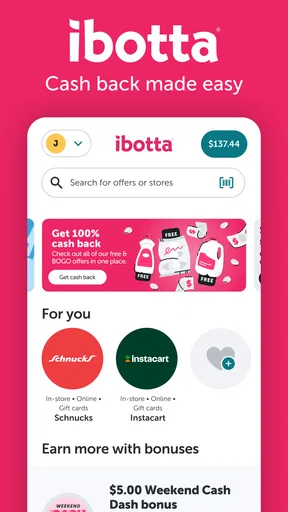
Ibotta: Save & Earn Cash Back is a shopping app from Ibotta that turns selected everyday purchases into opportunities to receive cash back. I found its main idea easy to understand: look for an eligible offer, complete the purchase under the stated conditions, submit the required proof, and wait for the reward to be credited. That sounds simple, but the practical experience depends heavily on how well you can read offer details, remember conditions, and keep track of your shopping routine.
As a free cash-back shopping app, it is most appealing to people who already buy groceries, household products, personal-care items, or other common goods and are willing to spend a little time checking the app before paying. It is not a magic discount on every item, and it does not remove the need to compare prices. In my experience, its value comes from building a repeatable habit rather than opening it only after a shopping trip.
How Ibotta feels to use in everyday shopping
I use Ibotta most comfortably when I treat it as a planning tool, not something to figure out in the checkout line. The key habit is to decide what I already need, then check whether an offer fits that plan instead of letting a reward create a new purchase. That distinction keeps the app useful while making its extra steps easier to manage.
Readability and navigation before a purchase
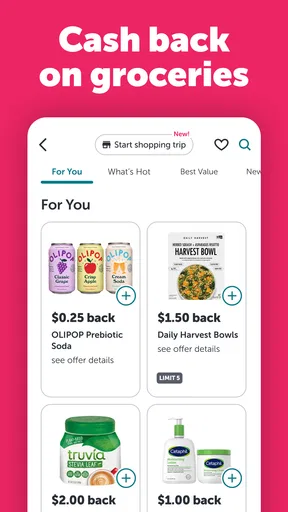
The most important part of the experience is browsing offers before shopping. The app’s basic purpose is clear, but a cash-back offer is more than a large reward label. I need to read the product description, size or variety requirements, purchase limits, expiration information, and any store restrictions before assuming that an item qualifies. That makes careful reading more important than fast browsing.
I would not treat the first screen as a complete shopping plan. A better workflow is to search for the products I already intend to buy, open each promising offer, and check the conditions one by one. This avoids a common mistake: choosing a product because the reward looks attractive, then discovering that the exact package or flavor does not meet the offer terms.
For me, the app works best when I use it at home, before leaving for the store. I can enlarge the phone’s text if necessary, take my time, and make a short list. Trying to inspect every detail while standing in a busy aisle is less comfortable and makes errors more likely. This is one of the most useful accessibility-related observations about the app: the same interface can feel manageable in a quiet setting and demanding in a noisy, rushed one.
Search and categorization are useful when I know what I want, but browsing can become tiring when there are many possible offers. I prefer a narrow approach: start with a meal plan or household list, then check only relevant products. That reduces visual clutter and prevents the app from influencing me into buying something I would not otherwise choose.
The developer is Ibotta, and the app has been available since December 17, 2012. Its long presence is reflected in its large user base, with more than ten million installs, a 4.5 average rating, and roughly seven hundred twenty thousand ratings. Those figures suggest that the basic concept is familiar to many shoppers, but popularity should not replace checking whether the workflow suits my own reading speed, memory, and shopping habits.
A realistic grocery-trip workflow
Imagine that I am planning a weekly grocery run. At home, I open the app and search for items already on my list, such as breakfast food, cleaning supplies, or toiletries. I read the offer conditions and note the qualifying products. If a reward requires a particular size, I write that detail next to the item instead of trusting myself to remember it in the store.
At the shop, I compare the eligible product with the normal shelf price and with similar products. This step matters because cash back does not automatically make the qualifying item the cheapest choice. A store-brand alternative may still cost less, especially if the offer is small or the eligible product is priced higher than usual.
After paying, I keep the receipt rather than throwing it away immediately. I then follow the app’s submission process while the purchase details are still fresh. If the receipt is long, folded, faint, or crowded with items, capturing it clearly can take patience. I check that the important information is visible and that the selected offers match what I actually bought.
This workflow reveals a trade-off that a short store description would not explain: the app can reward organization, but it can also add a second layer of record keeping to shopping. People who already photograph receipts and maintain lists may find that natural. People who dislike paperwork may decide that the reward is not worth the extra steps.
Motor and sensory considerations
Using a phone-based shopping service usually involves tapping small controls, scrolling through product lists, reading dense conditions, and taking a usable receipt image. Someone with limited fine-motor control may find the photographing stage more difficult than the browsing stage, particularly when a receipt is long or needs to be repositioned several times.
I would approach that problem by preparing a stable surface, unfolding the receipt fully, and taking the picture in good light rather than trying to do it one-handed in a car or crowded checkout area. If holding a phone steady is difficult, a support or another person’s assistance may make the process less frustrating. The app can fit into an assisted shopping routine, but it should not be treated as completely hands-free.
Visual fatigue is another consideration. Offer details can require close attention, and the difference between a qualifying product and a similar non-qualifying one may be easy to miss when I am tired. Phone-level text enlargement, display contrast settings, and a quiet review period can help, although the usefulness of those tools depends on how the app’s screens respond to the operating system settings.
People with color-vision differences should avoid relying on color alone when deciding whether an offer applies. I would read the product wording and status text instead of interpreting a badge or visual highlight by itself. Likewise, users who are sensitive to busy screens may prefer to search for a specific item rather than scroll through broad promotional sections.
For users with hearing differences, the core shopping process is primarily visual, which can be helpful when the necessary information is presented in text. However, I would still make decisions from the written offer and receipt requirements rather than assuming that every important instruction will be communicated in the same way. The practical question is whether the current screen gives enough written context to complete the task without relying on sound.
Situational access: when the app helps and when it gets harder
Ibotta is more accessible in some situations than others. At home, with a charged phone and time to read, I can plan carefully. In a store, I may be dealing with glare, poor reception, background noise, a child needing attention, a long queue, or a limited amount of time. None of those conditions changes the offer rules, but they can make it harder to follow them accurately.
For that reason, I would not build an urgent purchase around an offer I have never used before. If I need one item immediately, the normal shopping decision is usually simpler. The app is better for planned purchases where I can review the offer beforehand and keep the receipt afterward.
It can also suit shared households. One person can prepare the offer list while another does the shopping, but the two people need a clear agreement about product sizes and receipts. Without that coordination, it is easy for the shopper to buy a similar item or for the receipt to be misplaced. This is a small but important accessibility point: shared use can reduce physical effort, yet it increases the need for clear communication.
Travel and unfamiliar stores create another challenge. I would check the offer’s store requirements before changing my normal route. A reward is less useful if it forces an inconvenient trip or encourages an unnecessary purchase. For people with limited mobility, limited transportation, or fatigue-related conditions, the best use is usually to attach the app to a store visit that was already planned.
The app is also a poor fit for anyone who finds financial decisions stressful when promotions are constantly visible. I prefer to treat offers as optional reminders, not as reasons to spend. Setting a shopping list first helps preserve that boundary. The app should serve the budget, not quietly redesign it.
Where the real value appears
The strongest use case is routine shopping. If I buy similar categories regularly, I can check for relevant offers as part of my normal preparation. Over time, the small rewards may feel worthwhile because the activity is attached to purchases I would make anyway. The value is less convincing when I have to search extensively, travel to a different store, or buy a more expensive product just to qualify.
Another useful approach is to compare the final price rather than the reward percentage or headline amount. I write down the shelf price, subtract the expected cash back, and compare that result with nearby alternatives. This protects against the psychological effect of seeing a reward and assuming that the purchase is automatically economical.
I also recommend separating “planned” and “opportunistic” offers. Planned offers cover products already on my list. Opportunistic offers are items I might consider only if the total cost makes sense. Keeping those groups separate makes it easier to avoid impulse buying and gives the app a clearer role in my budget.
Receipt handling deserves its own routine. I keep receipts flat, photograph them soon after shopping, and avoid mixing several trips together. If a purchase includes many items, I review the submission rather than tapping through quickly. That small pause can prevent the most frustrating outcome: believing I completed everything, then having to reconstruct the trip later.
How it compares with ordinary alternatives
Compared with paper coupons, Ibotta can be more convenient because the offers live on the phone and do not require carrying a clipped collection. The trade-off is that digital offers demand more attention to account steps, product conditions, and receipt submission. Paper coupons can be visible while planning a trip; a phone app can be easier to update but easier to overlook.
Compared with a store’s own loyalty program, Ibotta offers a broader shopping-focused experience rather than simply applying the retailer’s standard member pricing. A store program may be faster at checkout because its discounts are tied directly to the account, while a separate cash-back workflow may require additional action afterward. I would use whichever option produces the lower final cost with less effort, and sometimes that means using both only when the terms are clear.
Compared with receipt-scanning services, the appeal here is the ability to choose offers before buying instead of treating every receipt as an open-ended submission. That can make planning more deliberate. It also means I must pay closer attention to eligibility before checkout. Someone who wants effortless receipt rewards may prefer a simpler model, while someone who likes planning purchases may prefer Ibotta’s structure.
Compared with browser-based coupon searching, a dedicated mobile app is better suited to checking a list while shopping and handling a receipt from the phone. A browser may be preferable for people who read better on a large screen or who dislike holding a phone in the store. In my view, the best choice depends less on the theoretical reward and more on which workflow I can repeat without mistakes.
Remaining barriers and practical limits
The biggest barrier is not understanding the idea; it is completing every condition correctly. A product can look nearly identical to the qualifying item and still fail the offer requirements. That puts a burden on visual attention, memory, and patience. Ibotta is therefore not ideal for someone who wants a completely automatic discount.
Receipt submission can also be a weak point for users with limited dexterity, low vision, or difficulty managing small screens. A blurry image, missing section, or rushed submission can turn a simple reward into a troubleshooting task. I would plan to do this at home rather than assume it will be easy at the checkout counter.
There is also a cognitive burden in tracking several offers at once. I find that a short list is safer than trying to remember a large collection. If an offer has complicated conditions, I either record the key requirement or skip it. A reward is not worthwhile if it creates more mental load than the purchase itself.
The age classification is Mature 17+, so families should consider whether the app is appropriate for the person using it and how shopping decisions are supervised. That rating is especially relevant when a younger person is handling purchases, receipts, or account-related activity. I would keep responsibility with an adult who understands the terms and the household budget.
The current version is 6.350.0 and requires Android 8.0 or later. That makes device compatibility an early practical check for Android users. People using older phones should verify compatibility before building a shopping routine around it. On supported devices, I would still keep the operating system and app current when possible, since receipt capture and account workflows depend on the phone behaving reliably.
Who should use it and who should skip it
I recommend Ibotta to organized shoppers who already compare prices, keep receipts, and make repeat purchases. It is particularly suitable for someone who can review offers at home, plan a short list, and complete the receipt step without feeling rushed. The free price makes experimentation relatively easy, provided the user treats the app as a budgeting tool rather than a reason to buy more.
I would be more cautious about recommending it to people who need instant savings at the register, have difficulty reading detailed conditions, or cannot reliably photograph and retain receipts. A store loyalty program or straightforward sale may be a better option in those situations. The same is true for shoppers who rarely buy eligible categories or who do not want another account and post-purchase task to manage.
For users with disabilities, the app may be workable when paired with phone accessibility settings, a quiet planning environment, and help from a trusted person during receipt capture. I would test one small shopping trip first rather than assuming the entire process will be comfortable. That approach reveals whether the interface, text density, camera step, and memory demands fit the individual user.
My inclusive verdict
After looking at the complete workflow, I see Ibotta as a useful but attention-dependent shopping companion. Its strongest quality is that it can fit into ordinary purchases without requiring me to change every part of my routine. Its weakest quality is that the reward process is only as smooth as my ability to read, plan, buy the exact item, and submit clear proof afterward.
The app has a 4.5 average from about seven hundred twenty thousand ratings and around two hundred six thousand written reviews, so it clearly has broad appeal. I would interpret that as evidence that the concept works for many people, not as a guarantee that every user will find the interface equally comfortable. Accessibility here is practical and situational: preparation, display settings, stable phone handling, and support can make a meaningful difference.
My recommendation is to use Ibotta selectively, not automatically. Start with products already on your list, compare the final cost with store brands and normal sales, and keep the receipt until the purchase is fully processed. If that routine feels manageable, the app can turn regular shopping into a modest source of cash back. If reading conditions and documenting purchases feel exhausting, a simpler discount method will probably serve you better.
For me, that balance makes the app worth trying for planned household shopping, especially when I can prepare in a calm environment. I would skip it for rushed errands, complicated purchases, or any situation where the extra steps create more strain than the potential reward. Used with that boundary, Ibotta: Save & Earn Cash Back is a practical option rather than a promise of effortless savings.
Privacy and Permissions
See what permissions an app requests and how it handles your data.
- Phone
- read phone status and identity
- Photos/Media/Files
- read the contents of your USB storage, modify or delete the contents of your USB storage
- Storage
- read the contents of your USB storage, modify or delete the contents of your USB storage
- Camera
- take pictures and videos
- Wi-Fi connection information
- view Wi-Fi connections
- Device ID & call information
- read phone status and identity
- Other
- view network connections, change network connectivity, full network access, control Near Field Communication, run at startup, use accounts on the device, control vibration, prevent device from sleeping
Verdict
Strengths of Ibotta: Save & Earn Cash Back
- Cash back is available at many major grocery and retail chains.
- Receipt scanning makes it possible to earn without linking a payment card.
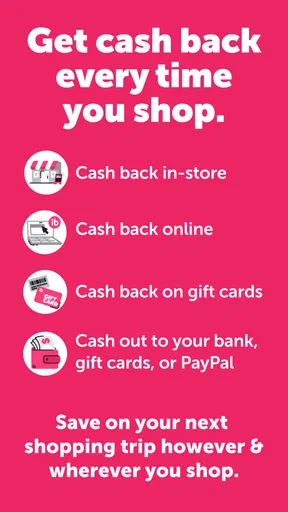
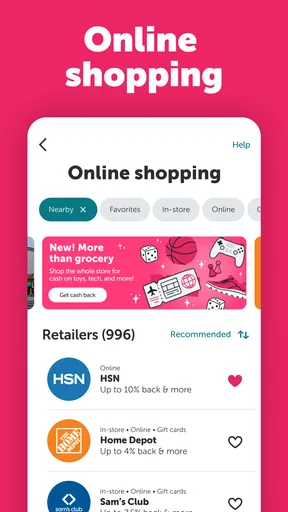
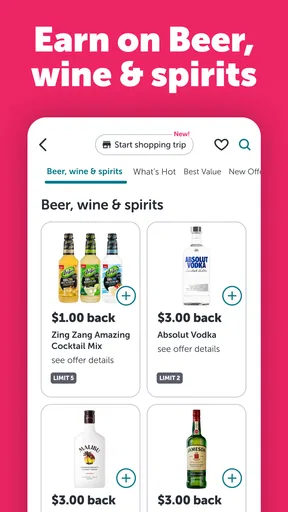
- Offers cover groceries, restaurants, travel, and online shopping.
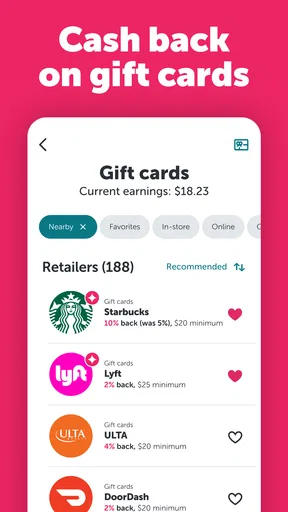
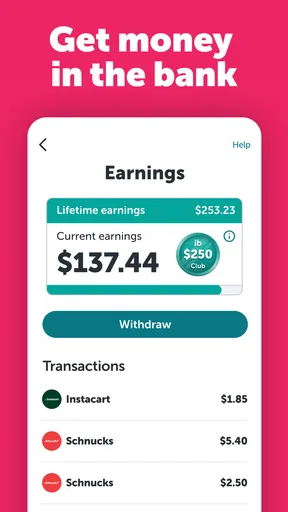
- Cash-out options include PayPal, Venmo, and gift cards.
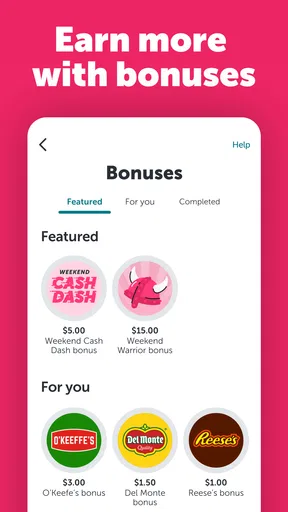
- The app clearly shows offer details, limits, and expiration dates.
Limitations of Ibotta: Save & Earn Cash Back
- Most offers require spending money on specific brands or products.
- Cash back can take time to become available after receipt verification.
- Some rewards require reaching a minimum balance before withdrawal.
- Offer availability and values can vary by location and account.
- Receipt submissions may be rejected if images or purchase details are unclear.
Similar Picks in This Category
View All
SHEIN-Shopping Online
Roadget Business PTE. LTD.4.8

Amazon Shopping
Amazon Mobile LLC4.4


Mercado Libre: Compras online
Mercado Libre4.8

Wish: Shop and Save
Wish US Holdings LLC4.7

Alibaba.com - B2B marketplace
Alibaba Mobile4.4
Frequently Asked Questions
What is Ibotta: Save & Earn Cash Back, and how does it work?
Ibotta is a cashback rewards app that lets you earn money back on eligible purchases from participating stores, restaurants, and online retailers. After creating an account, you browse available offers, add the ones you want, and complete the required purchase. Depending on the retailer, you may need to submit a receipt, link a loyalty account, or shop through the app.
How do I redeem offers and submit receipts in Ibotta?
The redemption process depends on the offer and retailer. For some purchases, you activate offers before shopping and then upload a clear photo of your receipt through the app. Other stores may allow automatic verification after you connect a loyalty account. Receipts generally need to show the store, purchase date, qualifying products, and transaction details, so keep them until your cashback is approved.
How can I withdraw my cashback from Ibotta?
Once you reach the applicable minimum withdrawal amount and your earnings are available, Ibotta typically allows you to redeem your balance through supported options such as PayPal, Venmo, or selected gift cards. Availability can vary by account, location, and current program rules. Before shopping specifically for cashback, check the app’s withdrawal requirements and processing details.
Are there any fees or important restrictions when using Ibotta?
Ibotta is generally free to download and use, and it does not normally charge a fee simply for earning cashback. However, offers have specific terms, including product sizes, brands, quantities, retailers, expiration dates, and limits per account. Some rewards may also require verification or may be rejected if the purchase does not match the offer conditions, so reading the fine print is essential.
Is Ibotta safe to use, and what information does it require?
Ibotta is a legitimate rewards platform, but using it requires sharing certain personal and shopping information. Depending on the features you use, the app may request account details, receipt images, retailer loyalty connections, payment information, or location access. Review the privacy policy and app permissions before signing up, and use a strong, unique password to help protect your account.
